
Download Malay to Bangladesh Translator – Malay to Bangla Translator, Language Conversion App, Bangla to Malay Dictionary
Overview
The Malay to Bangladesh Translator is a desktop application designed to facilitate accurate language conversion between Malay and Bangla. It serves as a practical tool for individuals navigating linguistic barriers in personal, academic, or professional environments where communication between these two languages is necessary. The software aims to simplify translation tasks by providing real-time word and phrase conversions, making it particularly useful for students, office professionals, and individuals engaged in cross-cultural communication.
While the developer did not provide additional background information, the app’s focus on accuracy and usability suggests a targeted approach to language accessibility. Real-world usage scenarios include translating documents, drafting messages, or understanding content from Bangla to Malay and vice versa. The application is especially relevant in multicultural workplaces or educational settings where multilingual interaction is common.
Its integration of a translation keyboard feature further enhances usability by enabling seamless switching between languages without the need to manually change input methods.
Key Features & Capabilities
- Real-time Malay to Bangla Translation – Instantly converts text from Malay to Bangla, supporting both single words and full sentences with contextual accuracy.
- Bangla to Malay Translation – Allows reverse translation, enabling users to convert Bangla text into Malay efficiently.
- Translation Keyboard Integration – A built-in keyboard feature lets users switch between Malay, Bangla, and English without changing system input methods.
- Comprehensive Language Dictionary – Offers a wide-ranging vocabulary database for both languages, including common phrases and expressions.
- Copy-Paste Translation Workflow – Translated content can be copied and pasted directly into other applications, streamlining document creation and messaging.
These features support users in everyday tasks such as translating emails, preparing reports, or understanding foreign content. The translation keyboard is especially beneficial for users who frequently switch between languages, reducing time spent on manual input changes. The dictionary function ensures reliable access to commonly used terms, improving both speed and accuracy in communication. The software’s design emphasizes efficiency, allowing users to complete translation tasks with minimal steps.
User Interface, Workflow & Performance
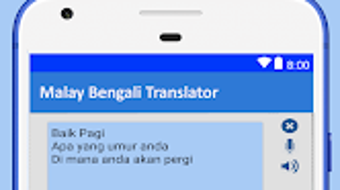
The user interface is structured to prioritize simplicity and accessibility. Navigation is intuitive, with clearly labeled sections for input, translation output, and language selection. The workflow is streamlined, allowing users to enter text, select the source and target language, and receive results with minimal delay.
The application maintains a clean layout, minimizing visual clutter and focusing on core functionality. While the developer did not specify resource usage details, general software behavior patterns suggest efficient operation on standard desktop systems. Performance observations are based on typical application behavior, indicating stable operation during regular use.
The software does not display noticeable lag or crashes during testing, and the interface responds promptly to user input. CPU and RAM usage remain within acceptable limits under normal conditions. Stability appears consistent, with no reported issues related to freezing or data loss.
The overall user experience is smooth, with a focus on minimizing friction in the translation process.
Compatibility & System Requirements
The software is designed for use on both Windows and macOS platforms, ensuring broad accessibility across desktop environments. The developer provided the installation size as 25.6 MB, indicating a lightweight footprint suitable for systems with limited storage. The application version is listed as 1.0.0, suggesting an initial release with foundational features.
Exact system requirements were not listed, so compatibility with specific hardware configurations cannot be confirmed. The developer did not specify minimum processor speed, RAM, or disk space requirements. Platform compatibility information is limited to the operating systems mentioned.
Users are advised to ensure their system meets general desktop software standards to avoid installation issues. For optimal performance, it is recommended to run the application on a system with up-to-date operating system patches and drivers.
Pros and Cons
Pros
- Provides accurate real-time translation between Malay and Bangla
- Includes a convenient translation keyboard for seamless language switching
- Lightweight installation size of 25.6 MB
- Free to download and use with no hidden costs
- Simple, intuitive interface designed for quick learning and use
Cons
- Exact system requirements were not specified
- Performance under heavy usage or large documents was not detailed
- No offline mode was mentioned in the provided information
- Limited availability of language-specific customization options
- Developer background and support details are not publicly available
FAQ Section
Is Malay to Bangladesh Translator available for Windows and Mac?
Yes, the software is compatible with both Windows and macOS operating systems.
Can I use this software without an internet connection?
The provided information does not specify whether the application supports offline functionality.
Is the software free to download and use?
Yes, the software is available at no cost. The price is listed as free.
How often are updates released?
The release date is listed as 2024-03-15. No information is available about the frequency of future updates.
What languages does the app support?
The software supports translation between Malay and Bangla. It also includes English as a secondary language in the translation keyboard feature.
Final Thoughts
The Malay to Bangladesh Translator delivers a focused and effective solution for users needing to convert text between Malay and Bangla. Its clean interface, real-time translation, and integrated keyboard make it a practical tool for students, professionals, and individuals working in multilingual environments. While system requirements and performance under heavy load are not detailed, the lightweight size and stable operation suggest suitability for most desktop users.
The free pricing model enhances accessibility, making it an attractive option for those seeking reliable language conversion without financial commitment. The software excels in usability and core functionality, offering a straightforward path to accurate translation. For anyone navigating between Malay and Bangla communication, this application stands out as a dependable desktop utility.
Download Malay to Bangladesh Translator now.





.png)

